RFID tags can store identification data, short records, or digital content that a compatible reader can access wirelessly. To store data in an RFID tag means to write information into the memory of the tag chip. This process is also called RFID tag encoding or RFID tag programming.
The data is written wirelessly with a compatible RFID reader/writer or encoder. The writer communicates with the tag, sends the prepared data, and saves it in a writable memory area on the chip. The tag can then be read by compatible equipment whenever the stored information is needed.
How Much Data Can RFID Hold?
RFID tags store small amounts of data. The exact capacity depends on the chip type and the purpose of the tag. A basic UHF RFID label may provide only enough memory for its identification code, while an NFC tag may offer more space for short digital content. Specialized tags can hold more, but RFID is not designed for storing large files or complete records.
| RFID Tag Type | Common Memory Capacity | Capacity Level |
| Standard UHF RFID label | Often 96 or 128 bits of EPC memory | Very small |
| UHF RFID tag with extended memory | Larger EPC memory and optional user memory, depending on the chip | Small, but more flexible |
| NFC tag with NTAG213 chip | 144 bytes of user memory | Suitable for short content |
| NFC tag with NTAG215 chip | 504 bytes of user memory | Suitable for a larger NFC record |
| NFC tag with NTAG216 chip | 888 bytes of user memory | Larger capacity for common NFC tag use |
| Specialized RFID tags or contactless smart cards | May provide several kilobytes of memory | Used when more on-tag storage is required |
The right memory capacity depends on what must remain available directly from the tag. If the project only needs item identification, a small memory capacity may be enough. If additional fixed data must travel with the item, the tag needs suitable writable memory.
RFID Tag Encoding vs RFID Tag Programming
RFID tag encoding means writing data into an RFID tag’s memory. The written data can be an EPC, UID-related value, asset number, product code, NDEF record, or other application data the RFID system needs to read later.
RFID tag programming is a broader term. It may include encoding, but it can also refer to setting passwords, locking memory, changing access permissions, or registering a tag in a software system. Because of this, “programming” is often less exact than “encoding.”
| Term | Main meaning | Scope |
| RFID tag encoding | Writing data into tag memory | Tag data only |
| RFID tag programming | Preparing a tag for use | May include data writing, password setting, memory locking, or system registration |
| RFID system configuration | Setting how readers and software handle tag data | Reader output, data format, filtering, and database matching |
What Data Is Normally Stored On An RFID Tag?
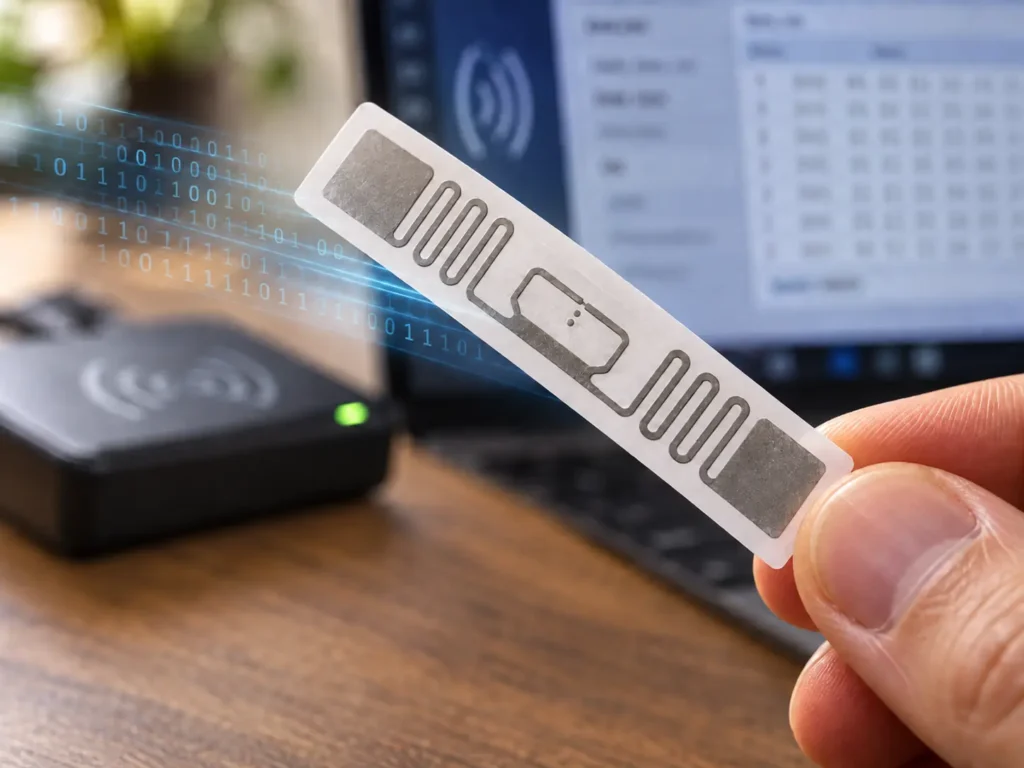
Small memory does not prevent an RFID system from managing detailed information. In most systems, the tag carries the information needed to identify the object or trigger a simple action. Data that changes often or requires detailed records is better managed in the connected system.
For UHF RFID tags used in inventory, apparel, laundry, logistics, or asset tracking, the most common stored data is a unique item identifier. Each tagged object receives its own code, so the system can tell one item from another during scanning.
For NFC tags, the stored data is often content that a phone can use directly, such as a website link, short text record, or product ID. The NFC Data Exchange Format, or NDEF, is the standard format used for this type of NFC-readable content.
| Application | Data Stored On The RFID Tag | Data Stored In The Database |
| Apparel Inventory | Unique garment ID | Product name, size, color, stock status, store location, sale or return record |
| Asset Tracking | Asset ID | Equipment details, assigned user, inspection status, maintenance history, last scanned location |
| Livestock Identification | Animal ID number | Animal record, farm information, vaccination history, movement records |
| Laundry Management | Linen or uniform ID | Item type, wash count, customer account, sorting status, replacement history |
| NFC Product Interaction | URL or product ID | Full product page, instructions, verification record, updated online content |
How To Store Data In An RFID Tag
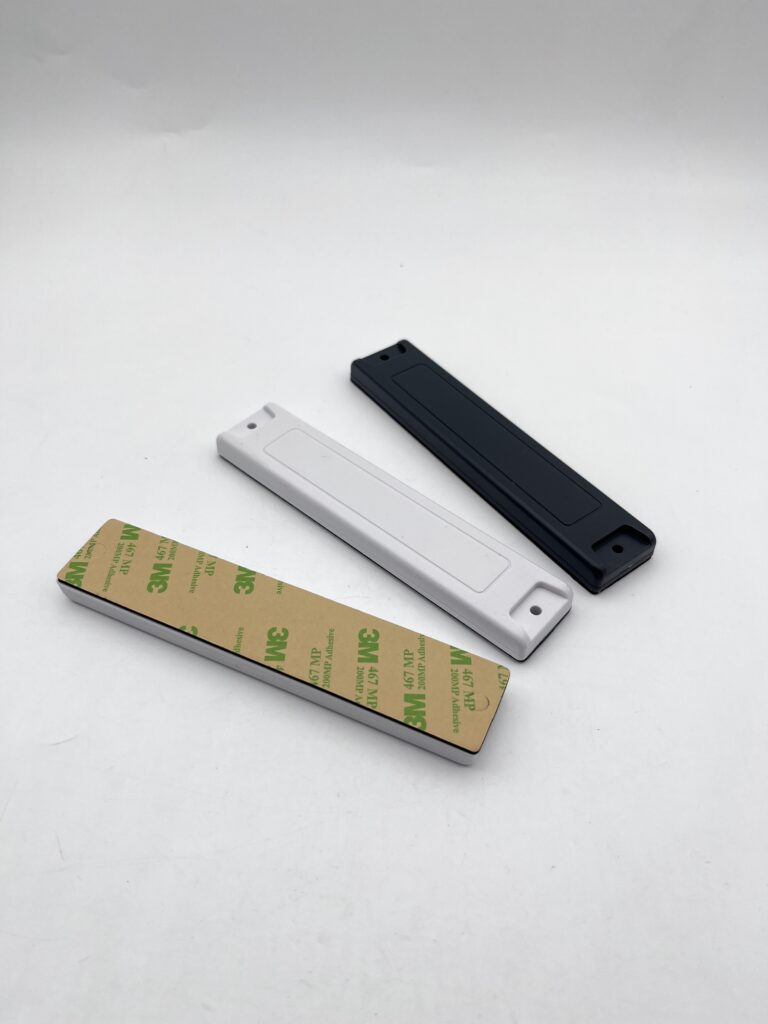
Once you know what information the tag needs to carry, it can be written into the tag with compatible encoding equipment. The process is different for UHF RFID tags used in tracking systems and NFC tags used for short-range interaction, but the basic principle is the same: prepare the data, write it to the correct memory area, and check that it can be read correctly.
What You Need To Write Data To An RFID Tag
Before encoding starts, you need:
- A writable RFID tag with enough memory for the required data
- A compatible RFID reader/writer, printer encoder, or NFC writing device
- Encoding software that can send the data to the tag
- A defined ID or data format for the project
- A database or management system when the tag ID connects to a larger digital record
Compatibility is essential. A UHF RFID tag must be written with UHF RFID encoding equipment. An NFC tag can be written with an NFC reader/writer or, in many simple applications, a compatible NFC-enabled phone.
For larger tracking projects, the data structure should be planned before encoding begins. Each item must receive the correct ID, and that ID must connect to the correct product, asset, animal, or linen record in the management system.
Where Data Is Stored In An RFID Tag
The location used for writing data depends on the RFID type. UHF RFID tags commonly separate identification, chip information, extra writable data, and password functions into different memory areas. NFC tags commonly store phone-readable content in an NDEF message.
| Memory Area | What It Stores | Typical Use |
| EPC Memory | Electronic Product Code or another main identification value | Stores the code used to identify the tagged item |
| TID Memory | Tag Identifier data related to the chip | Provides chip identity information and is normally set during manufacturing |
| User Memory | Optional additional writable memory | Holds limited extra fixed data when the tag supports it |
| Reserved Memory | Access and kill passwords | Supports password and tag control functions |
For most UHF tracking applications, the main item identification code is written into EPC memory. This is the code the reader captures when identifying a tagged garment, asset, carton, linen item, or other object.
User memory is optional. It is used only when extra data must remain on the tag itself, such as a short batch value, production code, or other fixed record. The available user memory depends on the selected tag.
TID memory means Tag Identifier memory. It contains chip identity information and is not the normal place to write a product number, asset ID, or customer data. Reserved memory is used for password functions rather than ordinary item records.
NFC Tag Memory
For NFC tags, content that needs to be recognized by a compatible phone or NFC device is commonly written as an NFC Data Exchange Format (NDEF) message. An NDEF message can contain a website link, short text, or another supported record.
For example, an NFC tag on product packaging may store a URL. When the tag is tapped, the phone reads that URL and opens the linked page. The product description, images, instructions, or updated content stay on the webpage rather than inside the tag.
Steps To Write Data To An RFID Tag
1. Decide What The Tag Needs To Store
Start with the data that must be available from the physical tag. For a tracking system, this is often a unique item ID. For an NFC application, it may be a URL or short digital record.
Do not place full records on the tag unless the application truly requires on-tag storage. Changing information such as inventory status, scan history, maintenance records, or online product content is usually easier to manage in the connected system.
2. Choose A Writable Tag With Enough Memory
The tag must match both the reader system and the amount of data to be written. A tag used only for item identification may need little memory. A tag that carries extra fixed information or a longer NFC record may need more writable space.
For UHF projects, confirm whether the tag provides EPC memory only or also includes the user memory required for additional data. For NFC projects, confirm that the tag has enough usable memory for the intended NDEF record.
3. Prepare The Data In The Required Format
A unique item ID should follow one consistent structure across the project. This prevents duplicate IDs and keeps the encoded tags linked correctly to the database records.
For UHF RFID, item identification data is prepared for writing into EPC memory. For NFC, a URL, text record, or similar content is prepared as an NDEF message that a compatible NFC device can recognize and use.
4. Write The Data To The Tag
Place the tag within the writing range of the reader/writer or encoder. The writing equipment sends the prepared information to the writable memory area on the chip.
Small NFC projects may encode tags individually with a compatible phone or NFC writer. UHF inventory and production projects often use an RFID reader/writer, RFID printer encoder, or bulk encoding process so that large numbers of tags can be prepared with unique data.
5. Read The Tag Back And Verify The Result
Every encoded tag should be read again after writing. The read-back result must match the data assigned to that tag.
Verification prevents common problems such as missing data, duplicated IDs, failed writes, or tags linked to the wrong product record. For bulk projects, this check should be part of the encoding process before the tag is attached to the item or shipped for use.
6. Lock Or Protect The Data When Required
Some tag memory areas can remain writable, while others can be protected after encoding. In UHF systems, EPC memory can be locked against overwriting while still allowing normal identification reads. Password-controlled functions may also be used when the tag and system support them.
A tag should only be locked after the encoded data has been verified. Protection requirements depend on whether the tag carries a simple ID, an editable NFC link, or information that must not be changed after deployment.
How To Protect Data Stored On An RFID Tag
RFID data protection should be planned before tags are encoded. Some protection settings cannot be reversed after they are applied, so the stored data, tag function, and future update needs should be confirmed first.
- Store Only Necessary Data On The Tag: Write only the data that must be read directly from the tag, such as a unique ID, short fixed record, or NFC link. Personal, confidential, or frequently changing information should normally remain in the connected system rather than being stored openly on the tag.
- Verify The Data Before Applying Protection: Read each encoded tag and confirm that the value matches the intended record. Check the item ID, URL, or other written content before locking memory or setting an NFC tag to read-only.
- Lock Data That Should Not Be Changed: When the stored content is final, protect the writable memory from unwanted overwriting. For UHF RFID tags, the identification data written in EPC memory can be locked while remaining readable during normal scans. For NFC tags, fixed content can be made read-only when it no longer needs editing.
- Use Password Or Authentication Features When Needed: Some RFID tags support password-controlled writing, protected memory access, or authentication functions. Use these features when the application needs more protection than a basic locked ID or public NFC record.
- Keep A Record Of Security Settings: Record which tags or batches have been locked, what protection settings were applied, and how access credentials are managed. This is important for future testing, maintenance, replacement, or system updates.
Tips For Managing RFID Tag Data
Once RFID tags are encoded and put into use, the stored IDs and linked records need to remain accurate over time. Good data management prevents duplicate reads, incorrect records, and confusion when tags are replaced or data formats change.
Keep A Clear Record Of Tag Assignment
Each encoded RFID ID should be linked to one physical item in the management system. When a tag is attached to a garment, asset, linen item, animal, or product, record the assignment before the item enters normal use.
If a tag is later removed, replaced, or reassigned, update the record rather than leaving the old link active. This prevents a valid scan from returning information for the wrong item.
Prevent Duplicate Active IDs
Two active tags should not carry the same item ID unless the system is specifically designed to handle that situation. Duplicate IDs can cause incorrect inventory counts, conflicting scan records, or uncertainty about which item was actually read.
When replacing a damaged or unreadable tag, confirm how the old tag will be handled before encoding a replacement with the same value. If the old tag may still be read, retire it in the system or assign a new tag ID that links to the existing item record.
Keep The Data Format Consistent
An RFID project should use one defined structure for its encoded IDs and any extra on-tag data. Avoid changing the format halfway through deployment without a clear update plan.
If the format must change, the software should still be able to recognize older tags already in circulation. This is especially important for reusable assets, laundry items, returnable containers, and other tags that may stay in service for a long time.
Define Rules For Updating Writable Data
Some tags use writable memory for more than a fixed ID. If batch values, inspection status, handling codes, or other fields may be updated later, decide which data source is treated as the current record.
The system should also define when a tag can be rewritten, who can update it, and what happens when the tag value and software record do not match. Without clear rules, writable tag data can become outdated or unreliable.
Track Replaced And Retired Tags
A tag may be removed because it is damaged, unreadable, lost, or no longer attached to an active item. Record its status in the system rather than deleting the history completely.
Keeping replacement and retirement records helps separate an old tag read from a current valid item scan. It also preserves traceability when an item has used more than one RFID tag during its service life.
Frequently Asked Questions
Does Reading An RFID Tag Change The Data Stored On It?
No. A normal RFID scan reads the value stored on the tag but does not change it. Data is changed only when a compatible reader/writer sends a write command to writable memory. The software connected to the reader may still create a new scan record, such as the time and location where an item was read. That record is stored in the system, not written back to the tag unless the application is designed to do so.
Does An RFID Tag Need Power To Keep Its Data?
A passive RFID tag does not need a battery to store its encoded data. It receives power from the reader’s radio field only when it is being read or written. Once the tag has been encoded, the stored value remains in its chip memory when the tag is not being scanned.
Can An RFID Tag Be Read Without An Internet Connection?
Yes. A compatible RFID reader can read the data stored directly on the tag without an internet connection.
However, if the tag stores only an ID that links to a product, asset, or inventory record, the reader system needs access to the relevant database to display that full information. This can be an online database or a local offline system, depending on how the RFID application is built.
What Happens If The Data Is Too Large For The RFID Tag?
The complete data cannot be written if it exceeds the tag’s available writable memory. The data must be shortened, stored in a tag with suitable capacity, or replaced with an identifier or URL that connects to the full record elsewhere. For example, an NFC tag does not need to store a full product manual. It can store a link to the online manual. A UHF item tag does not need to store a full product history. It can store the item ID used to retrieve that history from the database.
Can A Damaged RFID Tag Still Be Read?
It depends on the damage. If the chip and antenna can still communicate with the reader, the encoded data may still be readable. If the antenna is broken or the chip no longer responds, the reader cannot retrieve the stored data from that tag.
For tracked items, the linked record should still remain in the management system. A replacement tag can then be assigned according to the project’s ID and replacement rules.
Can An NFC Tag Link Be Updated Later?
Yes, as long as the NFC tag remains writable and has not been permanently locked. The stored URL can be replaced with a new one using compatible NFC writing equipment.
If the tag already points to a webpage that you control, the page content can be updated without rewriting the NFC tag. The stored link stays the same while the information shown on the webpage changes.
Can One RFID Tag Identify Multiple Products Inside A Package?
An RFID tag attached to a carton, tote, or pallet can identify that container, and the database can record which products are associated with it. However, the tag does not individually identify every product inside the package unless those products also have their own RFID tags.
This distinction matters when item-level tracking is required. A container tag supports tracking the package as one unit, while individual tags allow each item to be identified separately.
Can I Rewrite Data Stored In An RFID Tag?
Many RFID tags can be rewritten if they include writable memory and have not been permanently locked. A UHF RFID tag may allow its EPC memory or user memory to be updated. An NFC tag may allow a stored URL or text record to be replaced with new content.
Rewriting is not possible when the relevant memory has been permanently locked or when the data is stored in a factory-programmed area that is not intended for user changes. Before rewriting a tag that is already in use, update the connected record as needed and confirm that the new encoded value does not create a duplicate active ID.
Can I Write Data To An RFID Tag With A Phone?
A compatible NFC-enabled phone can write data to suitable NFC tags. For example, you can use an NFC writing app to store a URL, short text record, or other supported NFC content on a writable NFC tag.
A standard phone cannot normally write UHF RFID tags used for inventory, apparel tracking, logistics, or asset management. These tags require compatible UHF RFID encoding equipment, such as a reader/writer or RFID printer encoder.
Can You Store Personal Or Confidential Data On An RFID Tag?
An RFID tag can store personal or confidential data if it has enough writable memory, but ordinary readable tags are usually not the right place for this information. A compatible reader may be able to retrieve data stored directly on the tag.
For most applications, store only an identifier on the RFID tag and keep personal, confidential, or sensitive records in the protected database. When information must be stored on the tag itself, the project should use suitable security functions, such as protected memory, authentication, or controlled access.
Need RFID Tags With Custom Encoding Support?
Need RFID tags prepared with the right data before delivery? We support custom RFID tag encoding for identification, tracking, and NFC interaction projects. Tell us what data you need to store and how the tags will be used, and we can help provide a suitable encoded tag solution for your system.
Contact Us Now For Custom RFID Tags!