Website NFC tags are showing up more often in everyday digital touchpoints. They give people a quick way to open a webpage with a simple phone tap, which makes offline to online access feel much more direct.
For businesses, website NFC tags are a practical tool for connecting physical materials with online content in a faster and cleaner way. They have become a growing topic in marketing, product communication, and smart connected experiences.
What Is a Website NFC Tag
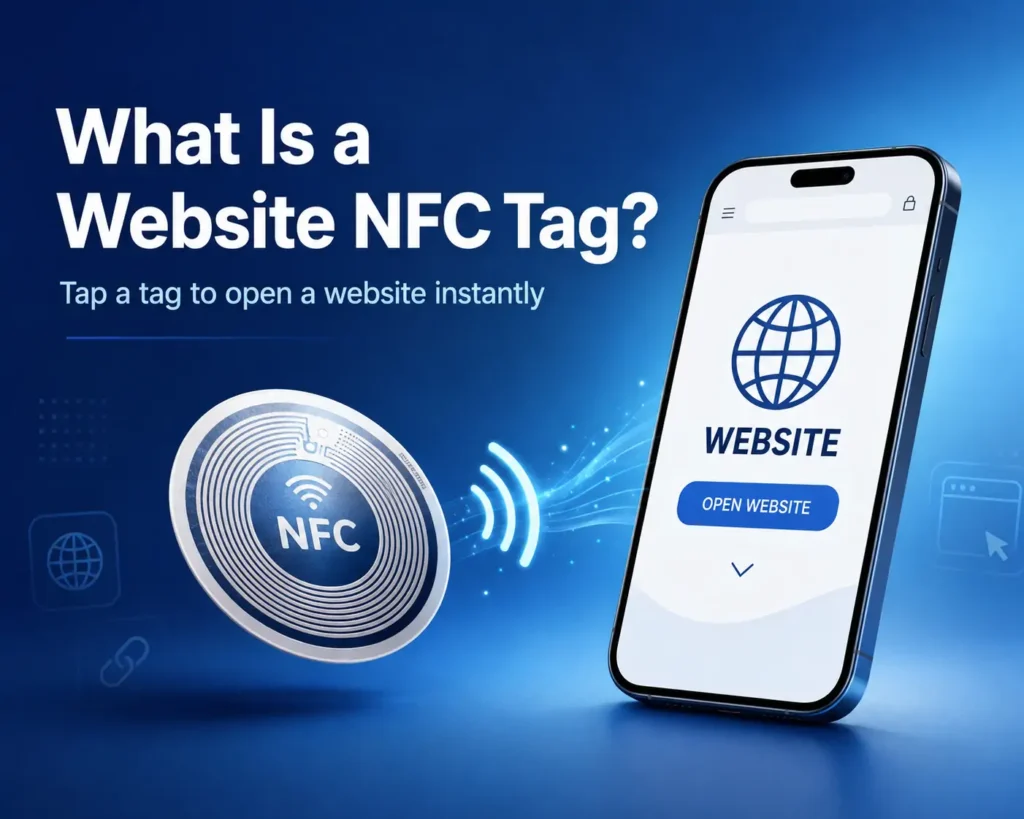
A website NFC tag is an NFC tag that uses NFC (Near Field Communication) technology to store a website link. When a user taps the tag with an NFC enabled phone, the phone reads the link and opens the webpage.
So to understand it better, It is just a physical NFC tag used to send someone to a specific online page. The main purpose is to make website access faster and more direct through a tap.
How a Website NFC Tag Works
A website NFC tag works by passing a stored web link from the tag to a nearby phone through NFC technology.
The NFC tag stores the website link
Before the tag can be used, a website URL is written into its memory. This link is the key piece of data the phone will read later. In most cases, the tag is set up to hold a direct page link, such as a homepage, product page, contact page, menu, registration form, or landing page.
The phone detects the tag at close range
When an NFC enabled phone comes close to the tag, the phone’s NFC function detects the chip inside it. Because NFC is a short range wireless technology, the phone usually needs to be very near the tag for the interaction to happen.
The phone reads the stored data
Once the tag is detected, the phone reads the data stored on it. If the stored content is a website link, the phone recognizes it as a URL rather than plain text or another type of record.
The webpage opens for the user
After the URL is recognized, the phone can open the linked webpage. It’s simple and fast.
Applications of Website NFC Tags
Website NFC tags can be used anywhere a business wants to connect a physical object or printed material to an online page. They create a quick link between the offline and online side of an interaction, which makes them useful in many customer facing situations.
Product packaging
A website NFC tag can be placed on product packaging to send users to a product page, setup guide, care instructions, authenticity check page, or brand website. It helps keep the packaging cleaner while still giving users easy access to more information.
Business cards
Website NFC tags are often used in digital business cards. A simple tap can lead to a personal website, company profile, portfolio, contact page, or booking page, which makes networking faster and more direct.
Posters and printed materials
A poster, flyer, brochure, or display card can use a website NFC tag to lead people to an event page, campaign page, registration form, video, or other online content. This turns a static printed piece into an interactive touchpoint.
Retail displays
In stores and showrooms, website NFC tags can be added to shelves, product stands, or display signs. Shoppers can tap to view product details, size options, color choices, promotions, reviews, or other helpful information while browsing.
Restaurants and hospitality settings
A website NFC tag can link guests to a digital menu, reservation page, ordering page, review page, or customer service page, giving businesses a simple way to guide people to useful information without adding extra steps.
Events and exhibitions
At events, trade shows, and exhibitions, website NFC tags can send visitors to sign up pages, schedules, booth information, product catalogs, presentation files, or lead forms.
Benefits of Website NFC Tags
Website NFC tags give businesses a faster way to move people from a physical touchpoint to an online page. Instead of asking users to type a web address or search for the right page, the tag shortens the path and makes access more immediate.
Faster access to online content
One of the biggest benefits is speed. A tap can take the user straight to the intended webpage, which removes extra steps and makes the interaction more convenient.
A cleaner user experience
A website NFC tag keeps the process simple. There is no need to print a long URL or ask users to enter it by hand. This can make packaging, cards, signs, and displays look cleaner while still connecting users to digital content.
Better connection between physical and digital touchpoints
Website NFC tags help bridge offline materials and online content in a more direct way. A printed item, product, or display can become an entry point to a webpage without needing extra explanation.
More flexibility for different business uses
The same basic idea can support many different goals. A business can use a website NFC tag to guide users to product information, a campaign page, a contact form, a digital menu, a registration page, or another web destination that fits the situation.
A more modern and interactive impression
Using website NFC tags can make customer interactions feel more current and connected. For many businesses, they offer a simple way to add digital access to physical materials without making the experience more complicated.
Types of Website NFC Tags
Website NFC tags can appear in several product forms. The best type depends on where the tag will be placed, what kind of surface it needs to work on, and how the business wants the final touchpoint to look and feel.
NFC stickers
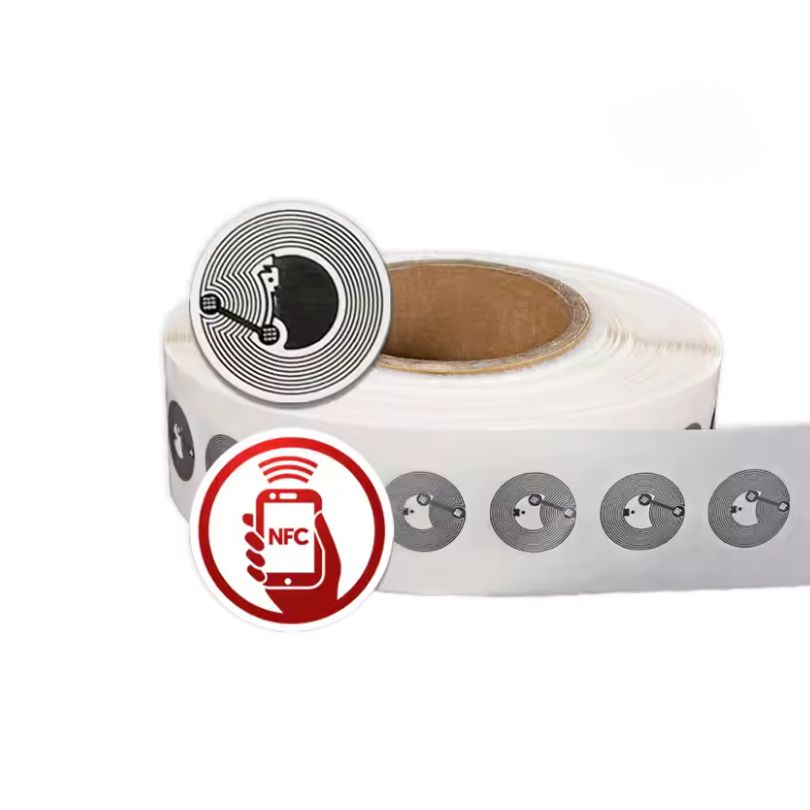
NFC stickers are one of the most common choices for website access. They are thin, easy to apply, and well suited to packaging, printed materials, display cards, folders, and other flat surfaces. When a business wants a simple website tap point without adding much bulk, stickers are often the easiest option.
NFC cards
NFC cards are a good fit when the tag needs a more polished and durable format. They are often used for digital business cards, branded presentation cards, and review cards that lead users to a website or landing page. Compared with a sticker, a card usually feels more intentional and more premium in face-to-face interactions.
NFC labels
NFC labels are widely used when the website link needs to be built into product labeling or packaging design. They work well for retail items, boxes, and branded labels that need to connect the user to an online page while keeping the physical presentation clean. In many projects, this is one of the most natural forms for website-based NFC use.
NFC clothing tags
NFC clothing tags are used in apparel and textile products where the tag becomes part of the garment or brand touchpoint. In this format, the website NFC tag may lead to a product page, care page, authentication page, or brand story page. Some garment badges fall into this broader type, since they serve the same basic function of linking a physical apparel item to online content.
Anti-metal NFC tags
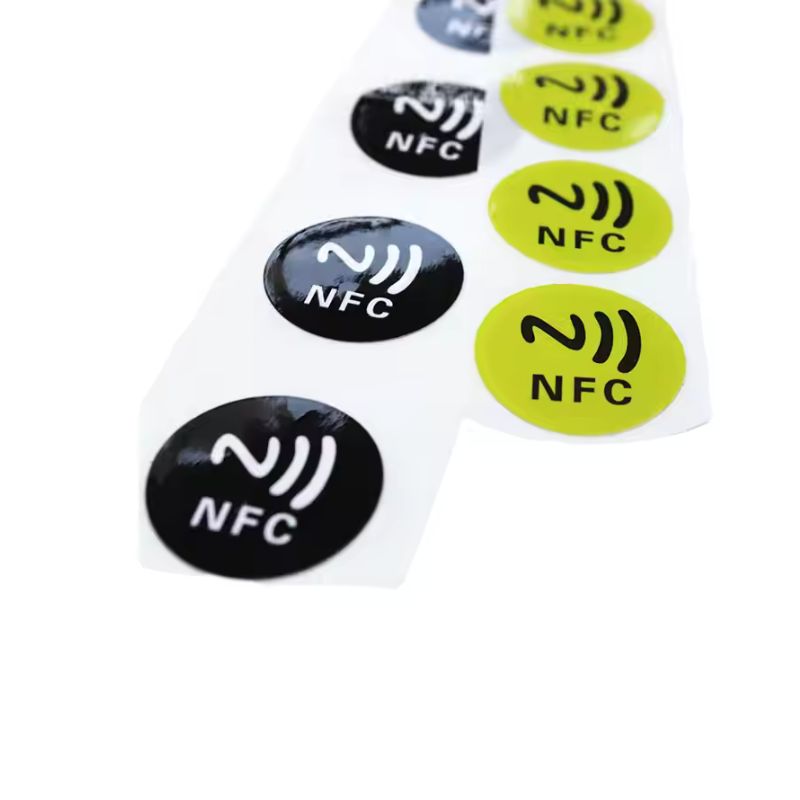
Anti-metal NFC tags are designed for use on metal surfaces, where standard NFC tags may not perform properly. They are the better choice when the website link needs to be placed on metal equipment, metal displays, machines, or other conductive surfaces. In these cases, the tag type matters not just for appearance, but for whether the website tap function works reliably at all.
Beyond these common types, some projects also use more specialized forms such as NFC rings, NFC wristbands, or other wearable formats for website access. These are less universal than stickers, cards, or labels, but they show how flexible website NFC tags can be when the project needs a more distinctive user experience.
How to Create a Website NFC Tag
Creating a website NFC tag is a simple process. The goal is to choose a suitable NFC tag, write the website link to it, and make sure the tag works properly on the target phone and surface.
Choose an NFC tag that fits the project
Start with an NFC tag that matches the way the tag will be used. A sticker may work well for packaging or printed materials, while a card, clothing tag, or anti-metal tag may be a better fit in other cases. The tag should also support the type of phone interaction you want to offer.
Prepare the website link
Before writing anything to the tag, make sure the target URL is ready to use. The link should be correct, easy to load, and suitable for mobile users, since most people will open it on a phone. If needed, use a clean landing page rather than sending users to a long or cluttered destination.
Write the URL to the NFC tag
Once the link is ready, it can be encoded onto the NFC tag. This step stores the website address in the tag’s memory so a compatible phone can read it later. The written content should point to the exact page you want users to open.
Test the tag on a phone
After the tag is programmed, test it with a phone to make sure the link opens correctly. Check that the page loads as expected and that the tap experience feels smooth and clear. If the tag will be used by the public, it is a good idea to test it on more than one device.
Place the tag in the final location
Once the tag has been tested, it can be applied to the product, card, label, display, or other physical item. Placement matters. The tag should be easy to tap, easy to notice, and used on a surface that will not interfere with NFC performance.
Lock the tag if needed
In some projects, it may make sense to lock the tag after programming so the stored link cannot be changed accidentally. This is often useful when the tag is part of a finished product, printed material, or customer-facing campaign.
How to Choose the Right Website NFC Tag
Choosing the right website NFC tag depends on more than the link itself. The tag also needs to match the surface, the environment, the user interaction, and the way the final product will be used. The best choice usually comes down to chip type, material, surface, durability, size, printing needs, encoding method, and how long the project is meant to last.
Choose the right chip type for the link
If the tag only needs to open a normal webpage, the memory requirement is usually modest. Common NFC options such as NTAG213, NTAG215, and NTAG216 are standard choices for custom NFC tags, and simple URL projects often do not need the largest memory option. For many website links, NTAG213 is enough, while longer links or more data-heavy setups may call for NTAG215 or NTAG216.
Match the material to the job
Material affects cost, appearance, and durability. Common material options include PVC, PET, paper, PPS, and epoxy, which gives you a useful range for different projects. Paper or thin sticker-style formats can make sense for short-term packaging or printed promotions. PVC and PET are better suited to cleaner, more durable everyday use. Epoxy can be a stronger choice when the tag needs a harder, more finished surface. PPS is more suitable when the project needs a tougher industrial-style material.
Check the surface before choosing the tag
The surface matters more than many people expect. Standard NFC stickers and labels are generally a good fit for paper, cardboard, plastic, glass, and other non-metal surfaces. Metal is different. If the tag needs to sit on a metal display, machine, cabinet, tool, or shelf, an anti-metal NFC tag is usually the right choice because standard tags may lose performance or fail from interference.
Decide whether you need waterproof or washable performance
Not every website NFC tag needs extra protection, but some projects do. If the tag will be used on clothing, in wet conditions, outdoors, or in a place with repeated handling, you should think about waterproofing, wear resistance, and long-term durability. NFC clothing tags are built for much harsher use than a normal indoor sticker. They are waterproof, washable, and durable under repeated laundering, so they are a much better fit for textile and apparel use than a basic label.
Use the right tag size for a better tap experience
Tag size also affects usability. In general, a larger NFC tag is easier for users to tap successfully, especially on posters, signs, display boards, and other public-facing materials where people are not looking for a tiny touchpoint. Smaller formats can still work well, but they leave less room for error and need better placement. This is one reason stickers, labels, cards, and larger printed formats are often easier to use in marketing and display projects than very small tags.
Think about printing and branding early
A website NFC tag is often part of a visible customer touchpoint, not just a hidden chip. If appearance matters, plan the printing at the same time you choose the tag. Custom NFC tags can be printed with a logo, QR code, serial number, or brand colors, which helps the final piece look intentional and easier to understand. It is especially useful for packaging, display tags, cards, and branded promotional materials.
Decide whether you want blank tags or pre-encoded tags
Some people want blank tags and write the website link themselves after delivery. Others want the supplier to encode the tags before shipment so they arrive ready to use. Both approaches are supported for custom NFC tags, including URL encoding. Self-encoding gives you more flexibility during testing. Pre-encoding is often the better option for bulk orders, staff time savings, and ready-to-deploy projects.
Consider whether the link is fixed or may change later
Some website NFC tags are meant to open one permanent page for a long time. Others are tied to campaigns, events, seasonal offers, or changing product pages. If the destination may change later, it is smarter to plan for that before ordering. In that case, many businesses use a redirect link or managed landing page instead of writing a final long-term URL directly to every tag, making later updates much easier without replacing the physical tag.
Choose based on short-term or long-term use
A temporary promotion and a long-term installed tag should not be treated the same way. For a short campaign, a simpler paper label or sticker may be enough. For long-term use on products, retail fixtures, clothing, equipment, or customer-facing materials, it usually makes more sense to choose a more durable format and think more carefully about material, printing quality, and environmental resistance.
The right website NFC tag is the one that fits the actual project, not just the one with the lowest cost or the most common format. If you need help choosing the right chip, material, printing option, anti-metal structure, or pre-encoding setup, send us an inquiry and we can help match the tag to your application.
Website NFC Tag vs QR Code
Website NFC tags are often compared with QR codes because QR codes are still the more familiar and traditional way to link physical materials to online content. Both can open a webpage, but they work differently and suit different kinds of user experience. The major differences are:
User interaction
The most obvious difference is how people access the link. With a website NFC tag, the user brings the phone close to the tag and the phone reads the link through NFC technology. With a QR code, the user opens the camera or scanning function and points it at the code. NFC usually is quicker and more seamless, while QR codes are more familiar to a wider range of users.
Speed and convenience
A website NFC tag can create a smoother path because there is no need to frame a code on screen or in the camera view. In face-to-face settings, packaging, smart displays, and tap-to-open cards, that can make the experience feel more direct. QR codes can still be very convenient, but they depend more on camera alignment, lighting, print quality, and visible placement.
Design and appearance
QR codes must stay visible to be scanned, so they become part of the printed design. A website NFC tag does not need a visible code, which gives more freedom in how the product, card, sign, or packaging looks. For brands that want a cleaner or more premium presentation, NFC can be easier to integrate without affecting the visual layout as much.
Surface and placement flexibility
Both technologies can be used on packaging, cards, posters, and display materials, but they behave differently in practice. A QR code only needs to remain visible and scannable. A website NFC tag needs to be placed where a phone can tap it easily, and the surface must not interfere with NFC performance. For example, metal surfaces usually require an anti-metal NFC tag rather than a standard one.
Phone compatibility
QR codes work on nearly any smartphone with a camera, which gives them a strong compatibility advantage. Website NFC tags depend on NFC-enabled phones and proper NFC support on the device. For many modern smartphones this is not a problem, but QR codes are still more universal across different users and devices.
Durability and maintenance
A QR code can lose readability if it is scratched, faded, dirty, badly printed, or placed in poor lighting. A website NFC tag does not rely on visual scanning, so it avoids those problems, but it still needs the right material and structure for the environment. If the tag is used outdoors, on clothing, on metal, or in a high-contact setting, the NFC tag type needs to match those conditions.
Which one is better?
A website NFC tag is usually the better choice when you want a more seamless tap experience, a cleaner design, or a more modern touchpoint. A QR code is often the better choice when you need maximum compatibility, lower cost, or a format that works on almost any phone right away. In many real projects, businesses use both together so users can choose the method that works best for them.
FAQs About Website NFC Tags
How do you read a website NFC tag?
To read a website NFC tag, you bring an NFC-enabled phone close to the tag. If the phone detects it correctly, it reads the stored URL and opens the linked webpage. Apple’s support guides describe this same basic tap-to-open behavior for NFC tags and NFC-based App Clip experiences on iPhone.
Can a website NFC tag open a website on iPhone?
Yes. On supported iPhones, an NFC tag can trigger a web link or related NFC action when the phone is held near the tag. Apple documents NFC tag use on iPhone for App Clips and other NFC-based interactions, which confirms that iPhone can respond to NFC tags in real-world tap scenarios.
Do users need an app to use a website NFC tag?
In many normal website-link use cases, users do not need a separate app just to open the link. The phone reads the tag and handles the URL directly. On iPhone, Apple documents direct NFC tag interaction for supported experiences without requiring users to first install a full app.
How much memory does a website NFC tag need for a URL?
A normal website link usually does not need much memory. In many projects, a standard URL-focused setup is enough, so the chip choice is often based more on link length, future flexibility, and tag format than on large storage needs. For custom NFC tags, common chip options include NTAG213, NTAG215, and NTAG216.
Can the website link be changed later?
It depends on how the tag is set up. If the tag stores one fixed URL and is later locked, that destination may stay fixed. If the project uses a redirect link, managed landing page, or another updatable destination, the final page can usually be changed later without replacing the physical tag.
Can the supplier encode the website link before delivery?
Yes. Website NFC tags can be supplied blank for buyer-side encoding, or they can be pre-encoded before shipment. Pre-encoding is often the better choice for bulk orders, branded campaigns, or projects that need ready-to-use deployment.
Can website NFC tags be custom printed?
Yes. Website NFC tags are often customized with branding elements such as logos, serial numbers, QR codes, and printed graphics so the final tag looks like part of the product, card, label, or display rather than a generic chip.
Is it safe to open a website with an NFC tag?
It can be safe, but the same basic rule applies as with any link: only open tags from trusted sources. An NFC tag itself is just a delivery method for data. The real risk depends on where the link goes. If the tag is from a trusted brand, business, product, or event, the risk is usually lower. If the tag appears random, damaged, replaced, or suspicious, it is better not to open it.
How to disable website NFC tag notifications on iPhone?
On iPhone, there is no normal system setting that lets most users fully switch off background NFC reading on supported models. Apple’s user guides show how to customize Control Center, but removing the NFC Tag Reader control only removes the shortcut, not NFC behavior itself. Apple Support Community discussions also reflect that users looking for a full off switch generally do not have one in standard iPhone settings.
Can one website NFC tag be used by many people?
Yes. A website NFC tag can be read by many users, as long as the tag remains functional and their phones support NFC reading. That makes website NFC tags useful for public materials such as packaging, signs, business cards, posters, and displays.
What happens if the phone does not read the tag?
If the phone does not read the tag, the problem is usually one of a few common issues: the phone may not support NFC reading, the phone may not be placed close enough to the tag, the tag may not be encoded correctly, or the tag type may not match the surface it is attached to. Metal surfaces are a common cause of poor performance when a standard tag is used instead of an anti-metal one.
Can a website NFC tag open more than one link?
A single NFC tag usually opens one stored destination at a time. If a project needs to give users several options, the usual approach is to make the tag open one landing page that contains multiple links, such as a website, contact page, social media profile, booking page, review page, or download page.
How long does a website NFC tag last?
The lifespan of a website NFC tag depends mainly on the chip quality, the material, and the environment where it is used. The website link itself does not wear out, but the physical tag can. A basic indoor sticker used on clean packaging may last a long time in normal conditions, while a tag exposed to water, sunlight, friction, washing, or outdoor use may need a more durable material from the start.
In general, the tag lasts as long as its chip remains readable and its outer structure stays intact. For short-term promotions, a simple sticker may be enough. For long-term use, it is better to choose a more durable format such as PVC, PET, epoxy, waterproof clothing tags, or anti-metal tags when the surface requires it. If the project is meant to stay in place for a long time, material choice matters just as much as the NFC function itself.
Send Inquiry for Custom Website NFC Tags
We offer custom website NFC tags in multiple chip options, materials, and product forms, including NTAG213, NTAG215, and NTAG216, with choices such as PVC, PET, paper, PPS, and epoxy. We also support stickers, cards, labels, clothing tags, and anti-metal NFC tags, along with custom printing and URL encoding, so the final tag can match both the technical needs and the visual style of your project.
Whether you need website NFC tags for packaging, display cards, garments, branded marketing materials, or metal surfaces, we can help you choose the right format and prepare the tags for real use. Send us an inquiry with your application, quantity, surface type, printing needs, and encoding requirements, and we will recommend a suitable custom solution.